
Documentation Index
Fetch the complete documentation index at: https://docs.ironcoaching.app/docs/llms.txt
Use this file to discover all available pages before exploring further.
Upgrading Your Plan
Upgrade at any time from your dashboard. Your new features are available immediately.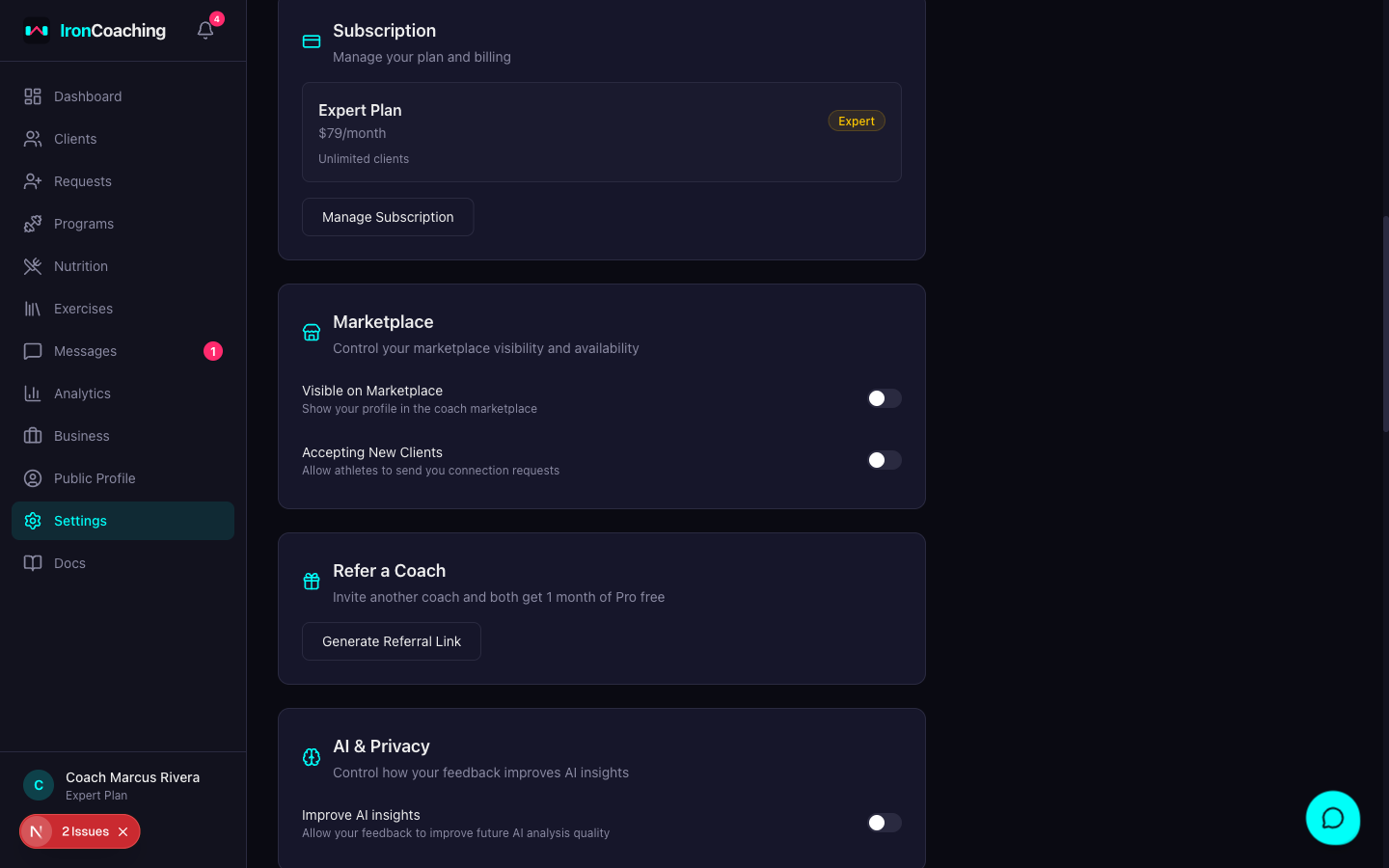
How to Upgrade
- Go to Dashboard > Settings
- Under “Subscription,” click Manage Subscription
- Select your desired plan (Pro or Expert)
- Choose monthly or annual billing
- Complete checkout through Stripe
- Your plan updates immediately — no need to refresh
What Happens When You Upgrade
- Immediate access — all new features are unlocked instantly
- Client limit increases — you can invite more athletes right away
- Data preserved — all your existing programs, clients, and data remain unchanged
- Confirmation email — you’ll receive an email confirming your new plan
Changing Plans
Pro → Expert
- All Pro features carry over
- AI insights, video feedback, and advanced analytics unlock immediately
- Your billing cycle adjusts automatically
Expert → Pro
- Downgrade takes effect at the end of your current billing period
- You retain Expert features until then
- AI insights cache expires naturally (24-hour TTL)
Any plan → Basic
- Downgrade takes effect at end of billing period
- You keep your programs and client list
- Features above Basic are locked (messaging, analytics, etc.)
- If you exceed the 10-client Basic limit, existing relationships are preserved but you can’t add new clients
Billing
- All payments are processed securely through Stripe
- You can view invoices and payment history in your Stripe customer portal
- IronCoaching never stores your payment information directly